

As the tax filing deadline approaches in Jersey, it’s time to gear up with the necessary tools for filing your returns. One such tool is the Yoti digital ID app, which offers a convenient way to verify your identity and submit your tax return online.
However, many residents encounter a common hurdle: they have got a new phone or deleted the app on their current phone, only to realise they need it again to fill the latest year’s tax return. This leaves them stuck and unable to reinstall the app.
But there’s a simpler solution to handle this. We’ll walk you through the app recovery process, ensuring a smoother tax filing experience every year.
What’s the Yoti ID app recovery process and a ‘recovery file’?
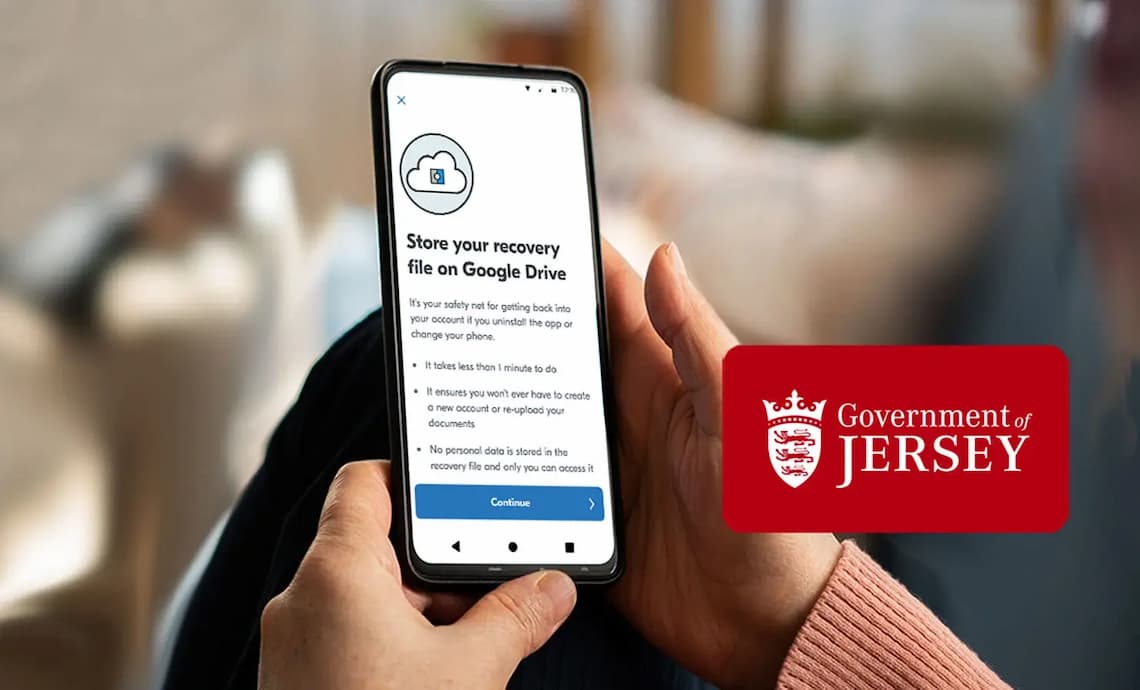
The Yoti ID app recovery process is a method for recovering keys that were saved in a ‘recovery file’ on iCloud or Google Drive.
You can easily recover your backed-up keys without ever compromising your personal information. The backup doesn’t put a copy of your personal data on your iCloud or Google Drive. Instead, it stores a ‘recovery file’ that helps us reconnect you with your Yoti account if you need to reinstall the Yoti app.
That’s why it’s a safe way to regain access to your account, whether you lose your phone, it gets stolen, switch to a new one, or delete the app without deleting your account with us.
It’s all about keeping things simple and secure so you can get back to what matters most.
A step-by-step guide to Yoti Digital ID app recovery
You may need to recover your Yoti account if you only use the app once a year and then encounter one of these scenarios:
- First-time setup: You’re setting up your Yoti Digital ID app for the first time and want to create a recovery file.
- Backup to a new phone: You want to backup your account so that you can recover it on a new phone.
- App reinstallation: You deleted the app and re-downloaded it.
- Attributes already in use: You’ve re-downloaded the Yoti ID app and received a message stating your attributes are already in use, but you don’t have a recovery file.
- ID uploaded to old account: You’ve created a new account but already uploaded your ID to an old one.
How to create a recovery file as a new Yoti ID app user
Here’s how to store your recovery file:
- Log in to the Yoti ID app.
- Tap on the “More” tab, then go to “Settings” and “Account Settings.”
- Choose “My recovery file.”
- Follow the prompts in the app to complete the process.
How to backup and recover your account onto a new phone
If you get a new phone, you will need to back up your Yoti ID app account from your old device before using the app for a new phone.
Here’s how to do that:
- Log in to your Yoti ID app, go to the “More” tab, and then select “Settings.”
- Choose “Account Settings” and click on “My recovery file.”
- Open the Yoti ID app on your new phone and select “I already have an account.”
- Select “Restore from iCloud” or “Restore from Google Drive,” then follow the instructions.
- As part of the verification process, you’ll need to take a photo and perform a short face scan.
How to get back your old account after re-downloading the app
You can only link your ID document to one account. If you initially created an account to complete your tax return forms and later deleted the app, you don’t have to go through the new user setup process.
Instead, when you re-download the Yoti ID app, select “I already have an account.” You’ll be guided through how to reconnect this account in the app.
How to recover your account if your attributes are already in use
Creating a Yoti ID app account is a straightforward process that should take no more than 5 minutes to complete.
However, you may have an old account if you see the error message “already in use” while trying to add an email or photo. It means that you may have previously had an account but haven’t used a recovery file to restore it.
In this case, you’ll need assistance from our customer support team. The app prompts you to send a message using the template email. A team member will respond with a link to a quick 5-minute video call to assist you.
During the call, our team member will verify their identity by showing you their Yoti employee badge. Then, they’ll unlink your email or photo from the old account.
How to add your ID to a new account
To add your ID document to a new account, we have to remove the current record of the document from our system and block your old account. You’ll receive an error message if you try to upload the same ID document to a new account.
Here’s how to resolve this issue:
- Look for a notification on your home screen and tap ‘Resolve’.
- Before we can block your old account, we need to verify that you are the owner of the ID and the old account. You’ll need to use our face match technology to prove this.
If the match is successful, we’ll block your old account and release your ID so you can add it to your new account.
Additionally, you may encounter a message saying that your phone number is already in use. This can also be resolved within the app by tapping on ‘Resolve’. The number will automatically be unblocked after 24 hours.
Benefits of creating a recovery file
By opting to create a recovery file before deleting the app from your phone, when you reinstall the app next year, you can:
- Avoid the lengthy process of unsuccessfully re-onboarding and save time filing your returns.
- Recover your account swiftly and seamlessly in the app without needing assistance.
By creating a recovery file before removing the app from your phone, you’re not just preparing to file returns but empowering yourself to sidestep a yearly hurdle. Explore this feature for a hassle-free tax season and beyond.
Important contact information
For further assistance, don’t hesitate to reach out to our customer support team here.
There are also additional resources available here in our support centre.
Your Yoti ID can be used in unexpected places too
Your Digital ID is not just for tax returns. It can also be used to prove your age to:
- Buy a Jersey Hospice lottery ticket
- Buy alcohol at the Co-op
- Watch a film at Cineworld
- Go to the Weekender Music Festival
- Go to a nightclub